

Android 18 is set to revolutionize mobile UI with powerful new graphics features like mesh gradients and progressive blurs. This guide explores what developers and designers need to know about these performance-optimized tools and how they fit into Android's AI-native future.
The Android ecosystem is on the cusp of another major evolution. With the Android Dev Summit scheduled for October 28-29, 2026, Google has begun teasing what's next, and the focus is sharper than ever on visual fidelity and creative expression. The upcoming Android 18 promises to deliver a suite of "powerful new graphics features," signaling a significant leap forward for both developers and UI/UX designers. This isn't just about adding new bells and whistles; it's about providing the foundational tools to create more artistic, immersive, and performant user interfaces.
This guide will unpack the most anticipated of these new capabilities—mesh gradients and progressive blurs—exploring their technical underpinnings, design implications, and how they fit into Google's broader vision for an AI-native and adaptive operating system.
The new Android 18 graphics features are a set of advanced, performance-optimized tools integrated at the platform level to help developers and designers create more sophisticated and artistic user interfaces. Teased by Google for its upcoming Android Dev Summit, these features primarily include mesh gradients and progressive blurs, which allow for more complex visual designs without the traditional performance trade-offs. The goal is to elevate the visual quality of apps built on Android, enabling richer, more layered, and dynamic user experiences.
For years, Android has been steadily building a more robust and flexible UI toolkit, with Jetpack Compose leading the charge. While many advanced visual effects were possible with custom shaders or third-party libraries, they often came with a steep performance cost or a high implementation complexity. Android 18 aims to solve this by baking these capabilities directly into the operating system, ensuring they are optimized for efficiency across a wide range of devices.

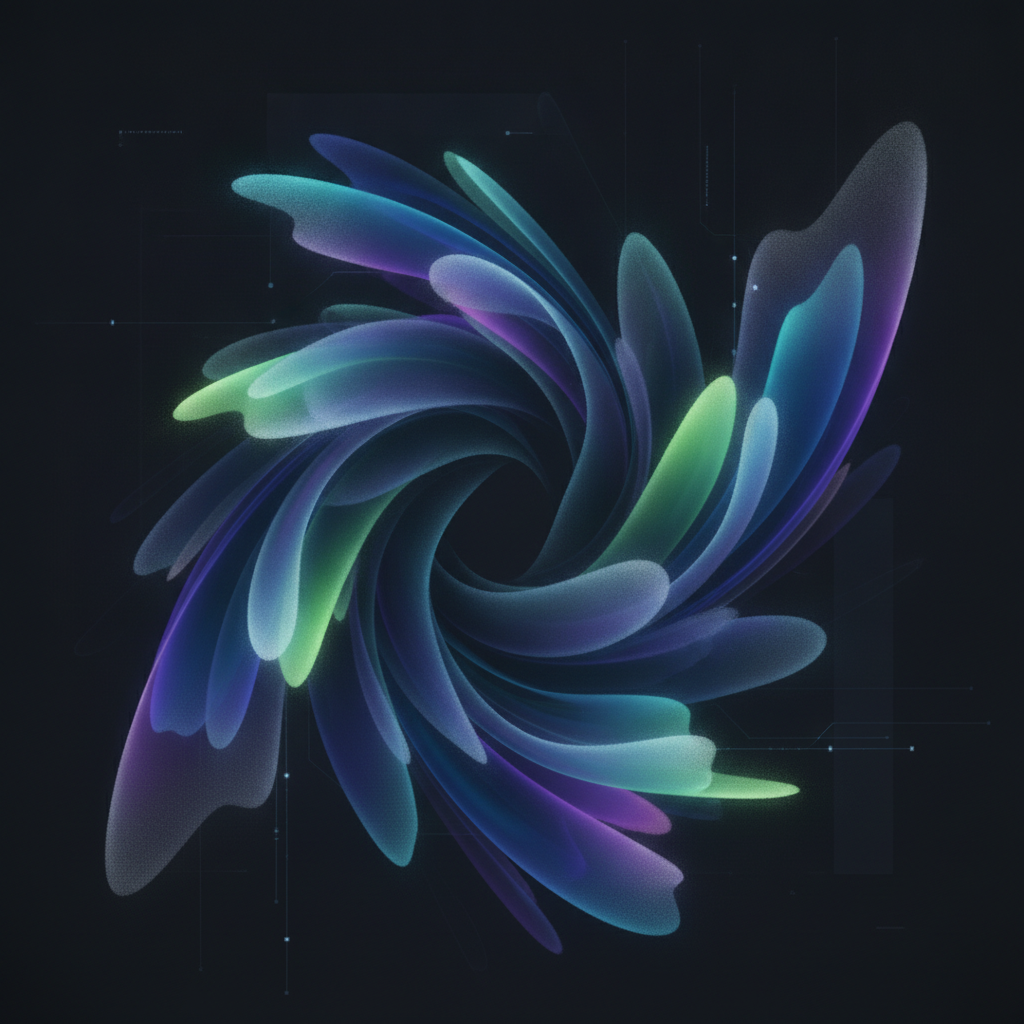
Mesh gradients are a sophisticated type of color gradient defined by a grid, where colors can be specified at various points on the grid to create smooth, non-linear, and multi-directional color blends. Unlike traditional linear or radial gradients that transition colors along a single axis or from a central point, mesh gradients allow for the creation of soft, swirling, and organic-looking background effects that feel more natural and artistic. They provide a level of control over color flow that was previously difficult to achieve efficiently in native mobile UIs.
At its core, a mesh gradient is built on a grid of vertices. A developer or designer defines the colors at each of these vertices (or at key intersections). The graphics engine then interpolates the colors smoothly across the patches between these points. This grid-based approach allows for intricate control over the shape and flow of the color transitions. You can create gentle waves of color, concentrated pools of light, or complex, multi-hued surfaces that add depth and character to a user interface. With their inclusion in Android 18, these complex calculations are offloaded to the highly optimized native graphics pipeline, ensuring the effect is rendered smoothly without stuttering or draining the battery.
The introduction of native mesh gradients is a game-changer for UI/UX design on Android. It moves designers away from the flat, predictable backgrounds of simple gradients and opens the door to more expressive and branded experiences. Imagine login screens with subtle, animated, aurora-like backgrounds, or music player UIs where the background gently swirls with colors pulled from the album art. These effects can make an app feel more premium, engaging, and alive. They provide a powerful tool for establishing a mood, drawing user attention, and creating a truly unique visual identity.
Progressive blurs are a dynamic visual effect in Android 18 that can gradually apply a blur to an image or background layer, transitioning from sharp to frosted across a defined area. This allows developers to create a variable blur effect, where one part of an element remains in focus while another part is obscured. The most common application is to ensure that text overlaid on a complex image remains perfectly readable, enhancing both aesthetics and accessibility.
The primary use case highlighted by Google is enhancing text legibility. Consider a news app that displays headlines over a featured image. If the image has a lot of visual noise (e.g., intricate patterns, bright spots), the text can become difficult to read. With a progressive blur, a developer can apply a gentle blur that intensifies behind the text overlay, effectively creating a clean, frosted background for the text without obscuring the entire image. This technique is far more elegant than placing a solid-colored scrim over the image. It can be used in hero images, content cards, and any UI element where text and imagery must coexist harmoniously. The effect is dynamic, meaning it can be applied programmatically and potentially even animated for more engaging transitions.

A crucial question for any developer is: how will these new graphics features impact app performance? Google has made it clear that performance is a top priority. While effects like mesh gradients and variable blurs have started appearing in Jetpack Compose builds, their spotlight in the Android 18 announcement suggests that the implementation goes much deeper than just the library level. The key is platform-level optimization.
By integrating these features into the core Android graphics engine (Skia), Google can leverage hardware acceleration and low-level code optimizations to ensure these effects are incredibly efficient. This means developers can implement beautiful, complex UIs without having to worry about dropping frames, causing UI jank, or significantly impacting battery life. This commitment to performance democratizes advanced design, making it accessible for all apps, not just those with dedicated graphics engineering teams.
These new graphics features are not being developed in a vacuum. They are a core component of Android's larger strategic shift towards becoming a more AI-native and adaptive platform. An adaptive UI is one that can intelligently change based on context, content, or user behavior. The ability to generate dynamic, fluid, and visually complex surfaces with tools like mesh gradients and progressive blurs is foundational to this vision.
Imagine a UI that can generate a background mesh gradient based on the colors of a user's wallpaper or the content they are viewing. Or a system that can automatically apply a progressive blur to a notification background to ensure readability, no matter what app is on the screen. These advanced graphics tools provide the building blocks for a smarter, more context-aware, and visually coherent operating system, powered by on-device AI.
Android 18 is shaping up to be a landmark release for anyone involved in building user interfaces. By introducing powerful, performant, and deeply integrated graphics features like mesh gradients and progressive blurs, Google is empowering developers and designers to push creative boundaries. These tools will enable the creation of apps that are not only more functional but also more beautiful, expressive, and engaging. As we look forward to the Android Dev Summit, it’s clear that the future of Android UI is vibrant, dynamic, and incredibly exciting.
Android 18 is introducing several powerful graphics features, with the two most prominent being Mesh Gradients for creating complex, grid-based color blends, and Progressive Blurs, a tool for gradually frosting images to improve text legibility.
Mesh gradients allow designers to move beyond simple linear or radial gradients and create soft, swirling, and more artistic background effects. This adds depth, mood, and a unique visual identity to apps, making them feel more premium and engaging.
The primary benefit of progressive blurs is to enhance text readability when overlaid on complex or visually busy images. By gradually frosting the area behind the text, it creates a clean background for the content while preserving the overall look of the image.
No, Google has emphasized that these features are built with deep, platform-level optimizations. By integrating them into the core Android graphics engine, they are designed to be highly efficient, ensuring smooth frame rates and minimal impact on battery life.
Developers can expect to learn more and likely get access to developer previews of these features around the Android Dev Summit scheduled for October 28-29, 2026, with a full release accompanying the official launch of Android 18.